






1
1. Prepare Your Original
Choose a working copy and review its file information. Before you remove AI metadata from photo assets, record which details matter for the next recipient.
Prepare your images for sharing and explore a practical AI metadata cleaner workflow: understand file information, review your export, and keep an original copy.

Try the example or upload your own JPEG, PNG, or WebP image.
Anonymous free allowance
5 of 5 removals remaining
Each successful free result counts once. The allowance resets 24 hours after your latest successful removal.
Explore the toolkit
Jump straight into a focused workspace for removing or replacing backgrounds and improving video quality.
An image has visible content and may also carry descriptive information. Before you remove AI metadata from photo files, decide which information belongs in your shared copy.
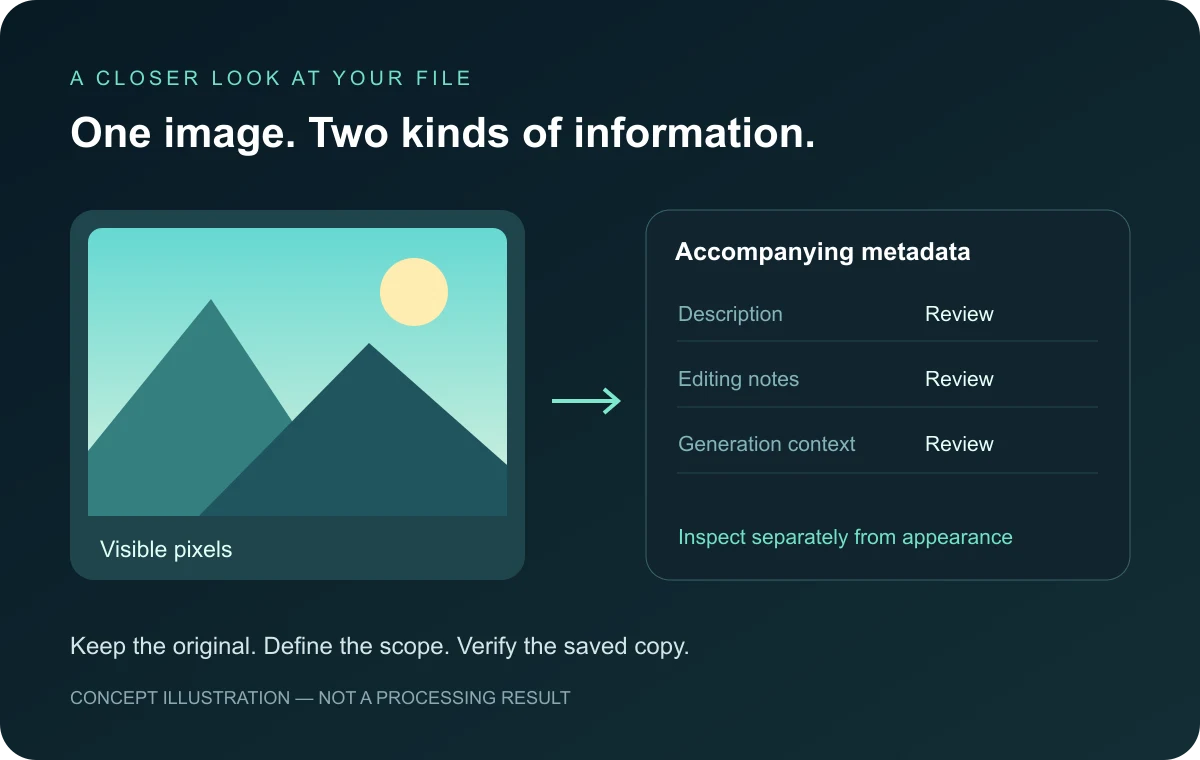
An AI metadata cleaner workflow starts with understanding what accompanies a picture. File information can describe authorship, editing history, or generation settings. Review the original, identify fields you intend to remove, and inspect the export separately. The illustration explains this distinction; it is not a processing result. To remove AI metadata from photo collections consistently, keep a clear source and delivery checklist.
Remove only what you intend to remove. Organize AI image review around source information, export quality, and the destination where your picture will appear.
Review descriptive fields separately from visible pixels. An AI metadata remover concerns file information, not a guarantee about how a picture will be classified.
Decide whether to remove a generation note, a comment, or other unnecessary fields. Preserve useful attribution in your original and document the delivery requirements.
When you remove AI metadata from photo files, inspect the saved copy rather than relying on its preview. Check appearance and information as separate acceptance steps.
Prepare, remove, and verify: three checkpoints for an AI metadata cleaner workflow. Use the available workspace controls for their labeled operations.
Choose a working copy and review its file information. Before you remove AI metadata from photo assets, record which details matter for the next recipient.
Remove unnecessary AI notes through an appropriate metadata operation. Do not confuse background editing with file-information cleanup or assume an export removes every field.
Reopen your export and compare its information with the source. A request to remove AI detection from image content requires a different assessment; missing tags alone prove nothing about origin.
Practical answers about what to remove, how to review AI image information, and why metadata cleanup differs from image detection.
An AI metadata remover is a tool category focused on information stored alongside a picture rather than the visible scene. That information may include a description, editing software, or generation notes. Decide what to remove before preparing a delivery copy. An AI metadata cleaner should be evaluated against the actual fields in that copy, not a visual preview alone. Keep the untouched source so you can compare or recover useful context later.
To remove AI metadata from photo files, first inspect the original with a reader that understands its format. Identify the fields you want to remove, use an appropriate metadata operation, and inspect the saved copy again. The AI metadata remover checklist is straightforward: preserve the source, define the scope, and verify the export. Renaming a file is not enough evidence that its embedded information changed. Check the downloaded file rather than the thumbnail.
An AI metadata cleaner review should distinguish ordinary descriptive fields from generation notes and provenance records. Different applications write different information, so a single familiar label is not a complete inventory. Remove fields according to your delivery requirements, then confirm the result with an independent inspection. When you remove AI metadata from photo collections, repeat that check on representative files from each source application rather than assuming the entire collection is identical.
The phrase remove AI detection from image can describe several different expectations. An AI metadata remover addresses stored information; a detector may assess image content or other signals instead. These are not equivalent operations. If you remove descriptive tags, that does not establish that a picture is human-made or guarantee any detector result. Use an AI metadata cleaner for a defined file-information task and assess provenance questions separately, without relying on a promised detection score.
You can open this page and explore the workspace without creating an account. Review the available controls and their stated operation before processing a file. Free page access is separate from proving that a particular field has been removed. For an AI metadata cleaner task, define what to remove and inspect the saved output. Do not treat an accessible upload button, a completed preview, or a background edit as proof of metadata cleanup.
File information and visible image content are different parts of a review. A metadata-only operation may leave the picture unchanged, while an export that re-encodes the image can affect appearance. Before you remove AI metadata from photo files, check how your chosen operation saves them. Remove unnecessary information without assuming identical pixels, colors, or dimensions. Compare the output with the original and choose the version appropriate for your delivery requirements.
Not automatically. A file can contain useful authorship, descriptive context, and editing information that a recipient needs. Decide which fields are unnecessary before you remove anything. An AI metadata remover workflow benefits from a written checklist, especially when several people prepare the same collection. Remove only within that agreed scope, retain the original, and tell the recipient what was changed. A smaller information panel is not, by itself, a better delivery result.
Consistency starts with grouping files by their source and intended destination. Review examples from each group, identify the information to remove, and use the same acceptance checklist for the saved copies. An AI metadata cleaner workflow should still include exceptions: one image may contain different fields from its neighbors. Remove those differences deliberately rather than assuming matching extensions mean matching contents. Remove duplicate delivery copies, count your outputs, and preserve a clear connection between each source and its delivery copy.
No. An AI picture may contain generation notes, but their presence and structure depend on the application and export path. An AI metadata remover cannot reveal a prompt that was never stored in the file. Inspect before deciding what to remove, and avoid conclusions based only on a filename. To remove AI metadata from photo assets reliably, work from observed fields rather than assuming every generated picture carries the same information or a complete creation history.
Not necessarily. A visible mark, an embedded information field, and a signal used by a detector are different things. The search phrase remove AI detection from image does not identify which one a person means. An AI metadata cleaner concerns stored information, not a universal watermark operation. If you remove a field, verify that specific change. Do not infer that a visible mark disappeared or that any separate detection signal was affected.
Save the output under a new name and open that exact file in an information reader. Compare the fields you intended to remove with the original, then inspect dimensions and appearance separately. An AI metadata cleaner review should record what was checked and what remains unknown. Remove assumptions from the checklist: a successful download says that a file was saved, not that every metadata family was examined. Keep the original and the inspection notes together.
The copy a recipient receives may differ from the file you uploaded because a service can apply its own export or processing path. Inspect the actual delivered version whenever file information matters. If you remove AI metadata from photo files before sharing, do not assume that the service preserves every aspect of that output. Remove ambiguity by keeping a local reference copy and checking the download from the destination rather than only your upload folder.
No. A background remover edits the scene around a subject; an AI metadata remover concerns accompanying file information. The current workspace uses background-removal controls, so follow those labels when testing it. To remove AI metadata from photo files, verify a metadata-specific operation separately. Do not label a transparent background result as metadata-cleared. Remove confusion by checking both the operation you selected and the information contained in the resulting file.
Missing information is not proof of whether an AI image was created. An export, transfer, or other operation can separate a file from some of its context. An AI metadata cleaner result therefore cannot establish human authorship. The goal to remove AI detection from image content should not be confused with removing descriptive fields. Remove unnecessary information for a clear delivery reason, while preserving any source records needed to explain where the picture came from.
The original provides a reference if a recipient asks about source information or if an export changes something unexpected. Keep it separate from delivery copies, remove naming ambiguity, and use clear names. An AI metadata remover workflow is easier to review when the starting point remains available. Remove unnecessary fields from a working copy rather than overwriting your only source. That separation lets you compare the exact information and appearance before deciding which version to share.
Confirm the source, the intended fields, the operation performed, and the exact file inspected. Remove unnecessary information only within your chosen scope, then review appearance and delivery requirements. An AI metadata remover checklist should state any unverified areas rather than treating them as passed. If someone asks to remove AI detection from image content, clarify that this is not a metadata acceptance test. Keep the output, the original, and your review notes clearly separated.